
Quick answer
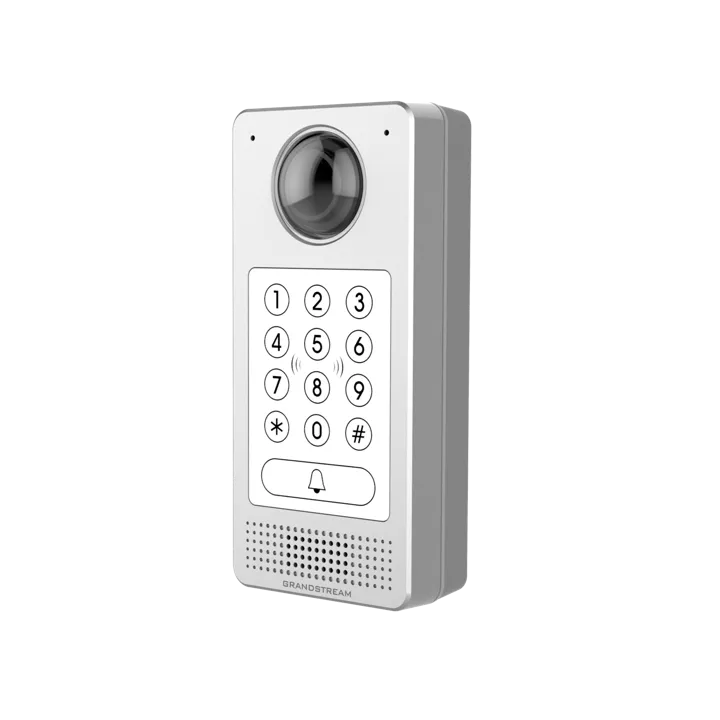
Grandstream GDS3705 and GDS3710 door phones ring an extension or group when a visitor presses the call button, and can unlock a door from your phone. The Algo 8180 and Snom PA1 connect your phone system to overhead speakers so you can page or play bells.
Models covered
What each device does
| Device | What it does | How you use it |
|---|---|---|
| Grandstream GDS3710 | Video door phone with camera, call button and door-release relay | A visitor presses the button; your assigned phone(s) ring. Answer to talk and unlock if set up. |
| Grandstream GDS3705 | Audio door phone with keypad and door-release relay | Same as the GDS3710 without video; staff can also use a keypad PIN if enabled. |
| Algo 8180 | SIP audio alerter/paging adapter with a built-in speaker | Dial the paging extension, wait for the tone, speak. Can also ring loudly for incoming calls or play bells. |
| Snom PA1 | SIP paging amplifier that connects to existing overhead speakers | Dial the paging extension, wait for the tone, speak. |
Using a door phone
- When the door phone rings your phone, answer it like a normal call to talk to the visitor.
- To open the door, press the unlock code HopDial set up for your site (your administrator has it) while on the call.
- Hang up to end the call. The door relocks on its own after the release time.
Unlock codes and which phones ring are site-specific security settings, so they are not published here. Open a ticket to change who rings or to reset a code.
Overhead paging and bells
Your paging extension, any paging zones and bell schedules are configured by HopDial. Lift the handset, dial the paging extension, wait for the alert tone, and speak clearly. Hang up when finished.
Schools often use the Algo 8180 or Snom PA1 for class-change bells and emergency announcements. See our K-12 phone system page for how paging, intercom and bells work together.
Troubleshooting
| Problem | Try this |
|---|---|
| Door phone does not ring anyone | Check that it has power (PoE) and network. Then open a ticket; the ring destination may need updating. |
| Page is quiet or distorted | Speak a few inches from the handset. Volume is set on the amplifier or adapter; open a ticket to adjust it. |
| Paging works in some zones only | The zone may be offline. Note which speakers are silent and open a ticket. |
Frequently asked questions
Can my desk phone unlock the front door?
Yes, if a door phone with a door-release relay (such as the GDS3705 or GDS3710) is connected to your lock. Press the unlock code during the call.
Can I page from any phone?
Any phone allowed to dial the paging extension can page. HopDial can restrict paging to certain phones.
Still stuck?
Open a ticket with your extension and phone model, or call 866.305.0407.
Open a support ticket