
Quick answer
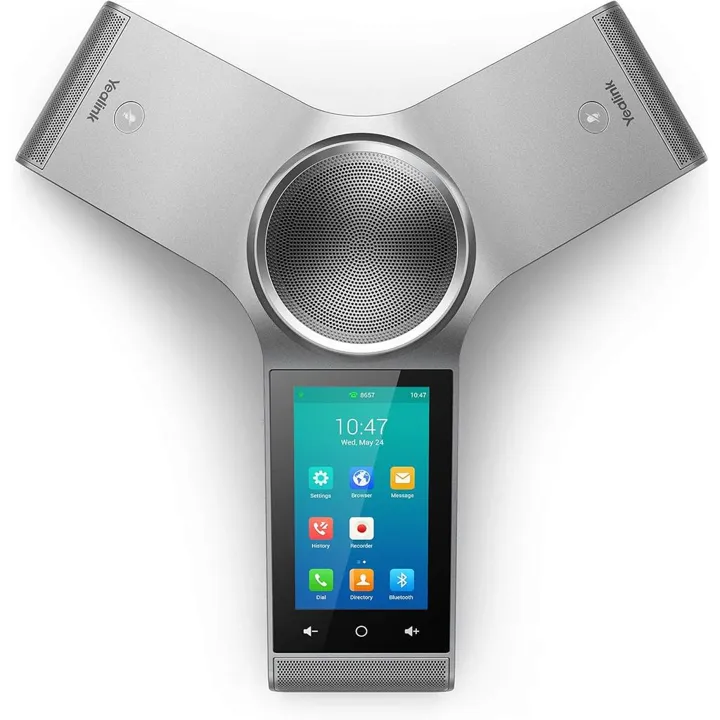
Yealink CP920, CP930W and CP960 conference phones work like a desk phone without a handset. Use the on-screen Conference key to add callers, the mute key to mute the room, and the CoreNexa codes for voicemail and transfers.
Models covered
Which model do you have?
| Model | Best for | Connection |
|---|---|---|
| Yealink CP920 | Small to medium rooms | Network cable (PoE), Wi-Fi capable |
| Yealink CP930W | Small rooms and huddle spaces | Wireless DECT to a Yealink base station |
| Yealink CP960 | Medium to large rooms; supports expansion mics | Network cable (PoE), Wi-Fi capable |
Running a conference call
- Dial the first participant and wait for them to answer.
- Press Conference (CONF) on the screen. The first caller is placed on hold.
- Dial the next participant. When they answer, press Conference again to join everyone.
- Repeat to add more people. Press the mute key to mute the room; the lights turn red while muted.
Joining a dial-in meeting bridge? Dial the bridge number, then use the keypad to enter the meeting ID when prompted.
Voicemail and transfers
- Voicemail: dial * plus the extension, then the password and #.
- Blind transfer: Transfer, extension, Transfer.
- Transfer to voicemail: Transfer, extension, *, Transfer.
Better meeting audio
- Place the phone in the middle of the table, away from laptops and projector fans.
- Keep participants within the microphone range of your model; add expansion mics to a CP960 in long rooms.
- Use a wired network connection for the CP920 and CP960 whenever possible.
Quick troubleshooting
| Symptom | Try this |
|---|---|
| Blank screen or no power | Check that the network cable is firmly seated. If the phone is powered over Ethernet (PoE), try a different switch port, or use the power adapter if you have one. |
| Screen says No Service or Network Unavailable, or shows no line | Unplug the power (or the PoE network cable) for 10 seconds and plug it back in. If several phones show this at once, restart your internet modem or router, then contact support. |
| Choppy, robotic or one-way audio | Usually a network issue. See the network and firewall guide (QoS, SIP ALG) and open a ticket with the time of the call and the number dialed. |
| A programmed key or name label is wrong | Keys are set from HopDial's side. Open a ticket with your extension and the change you need. |
Please don't factory reset a phone unless HopDial support asks you to. A reset can erase the settings that connect it to your phone system.
Frequently asked questions
How many people can join a conference on a Yealink CP960?
The phone can bridge a handful of callers locally. For larger meetings, use a conference bridge service and dial in from the CP960.
Why does the other side hear an echo?
Usually the phone is too close to a wall or speakers, or the network is congested. Move it to the table center and open a ticket if it continues.
Still stuck?
Open a ticket with your extension and phone model, or call 866.305.0407.
Open a support ticket