
Quick answer
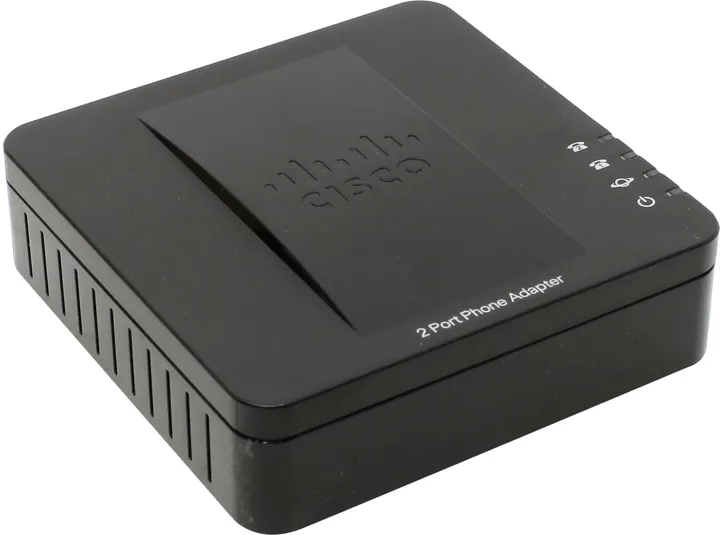
An analog telephone adapter (ATA) such as the Cisco SPA112, Cisco SPA122 or Grandstream HT702 lets a regular analog phone, fax machine or similar device use HopDial service. Plug the device into the Phone 1 or Phone 2 port and the adapter into your network; HopDial provisions the settings remotely.
Models covered
What an ATA is for
Businesses use adapters to keep analog devices working after moving to VoIP: fax machines, cordless or courtesy phones, door buzzers, and overhead paging amplifiers. Each Phone port acts as its own line or extension.
| Model | Ports | Notes |
|---|---|---|
| Cisco SPA112 | 2 phone ports, 1 network port | Connects to your switch or router. |
| Cisco SPA122 | 2 phone ports, network (WAN) and LAN ports | Includes a built-in router port for a computer. |
| Grandstream HT702 | 2 phone ports, 1 network port | Compact two-line adapter. |
Connecting it
- Connect the adapter network port to your router or switch with an Ethernet cable.
- Plug the analog phone or fax machine into Phone 1 (or Phone 2 for the second line).
- Connect the power adapter. Wait a few minutes for the lights to settle and for HopDial provisioning to load.
- Lift the handset and listen for dial tone.
Faxing through an adapter
Fax machines can work through an ATA, but faxing over internet connections is more sensitive than voice. If a fax machine fails often, consider email-to-fax, which avoids the analog line entirely.
Troubleshooting
| Problem | Try this |
|---|---|
| No dial tone | Check the phone cord is in the correct Phone port and the network light is on. Unplug power for 10 seconds and plug back in. |
| Fax fails part-way | Retry at a lower speed if the fax machine allows it, or switch to email-to-fax. Open a ticket with the time and number. |
| Only one port works | The second port may not be activated. Open a ticket with the adapter model and which device is connected. |
Please don't factory reset an adapter unless HopDial support asks you to. It erases the settings that connect it to your service.
Frequently asked questions
Can I plug a fax machine into a Cisco SPA112?
Yes. Plug it into a Phone port. If faxes are unreliable, HopDial email-to-fax is the more dependable option.
Does the adapter work the same on CoreNexa and ConnectUC?
Yes. The adapter is provisioned by HopDial for your platform; the analog device works the same way.
Still stuck?
Open a ticket with your extension and phone model, or call 866.305.0407.
Open a support ticket