
Quick answer
To reach CoreNexa voicemail, dial * plus your extension and enter your password followed by #. Your first password is your extension number; change it during setup or the setup wizard will play every time you log in.
First-time setup
- Dial * followed by your extension number.
- Enter your password. By default it is your extension number.
- Follow the prompts to set a new password, record your name and record your greetings.
Change your password to something other than your extension when prompted. If you keep the default, the setup wizard will play again every time you open your mailbox.
The name you record is the same recording callers hear in the company directory and in the find-me feature, so say your name clearly.
Checking messages
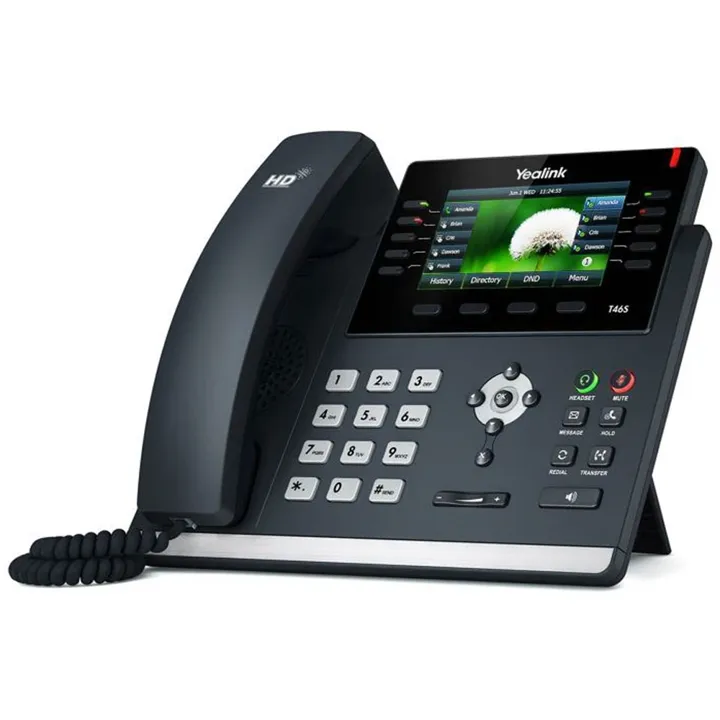
- From your own phone: press the Message button or dial * plus your extension, then enter your password and #.
- From outside: call your main number and press # at the auto attendant, enter your extension, then your password and # (works only when calls go directly to an auto attendant).
Options after listening to a message
| Press | Option |
|---|---|
| 3 | Advanced options: 1 send reply, 3 hear envelope (date, time and caller number), 5 leave a message for another user, * main menu |
| 5 | Repeat the current message |
| 6 | Play the next message |
| 7 | Delete |
| 8 | Forward to another user |
| 9 | Save to a folder: 0 New, 1 Old, 2 Work, 3 Family, 4 Friends |
| * | Help |
| # | Exit |
Which greeting plays when
- Unavailable greeting (0, 1): plays when you do not answer.
- Busy greeting (0, 2): plays when you are already on a call.
- Temporary greeting (0, 4): overrides the others while it is recorded, which is useful for vacations or out-of-office days. Delete it when you return.
Checking voicemail from outside the office
- Call your main number. When the main auto attendant answers, press #.
- At the prompt, enter your extension number.
- Enter your password followed by #.
- Follow the voicemail menu prompts.
Remote access only works when inbound calls go directly to an auto attendant. If your main number rings a person or a ring group first, ask support about another way in.
Frequently asked questions
What is my default CoreNexa voicemail password?
Your extension number. Change it during first-time setup; otherwise the setup wizard keeps playing.
How do I record a vacation greeting?
Open your mailbox, press 0 for mailbox options, then 4 to record a temporary greeting. Remove it when you are back.
I forgot my voicemail password. What now?
Open a support ticket or call 866.305.0407 and HopDial will reset it for you.
Still stuck?
Open a ticket with your extension and phone model, or call 866.305.0407.
Open a support ticket