
Quick answer
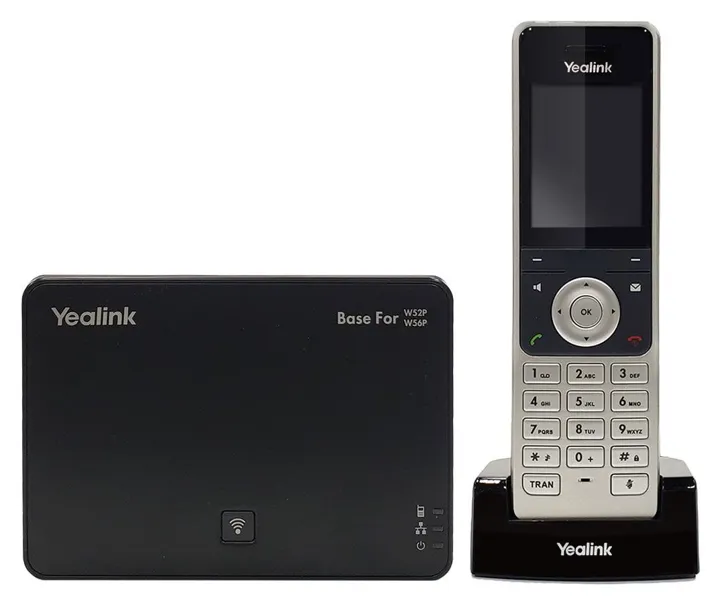
The Yealink W52P and Grandstream DP715 are older DECT cordless phones. On CoreNexa, dial * plus your extension for voicemail. On the DP715, a blind transfer is *87 plus the number plus # (when the call feature option is enabled).
Models covered
Yealink W52P
The W52P works like the newer W56P and W60P: dial * plus your extension for voicemail, and use the handset Transfer option for transfers. Check that the base station has power and network if the handset shows it is not registered.
Grandstream DP715
| Task | What to do |
|---|---|
| Hold | Press Recall to place the call on hold; press it again to return. |
| Blind transfer | Dial *87 + the number + #. The Enable Call Feature option must be turned on. |
| Attended transfer | Place the caller on hold, dial the other party followed by #, announce the call, then hang up to complete it. Use flash to return to the caller instead. |
| Voicemail | Dial * plus your extension, then your password and #. |
Why this is in Legacy
Both models are discontinued and replacement batteries are getting harder to find. The Yealink W60P or the AX83H are the current options.
Frequently asked questions
How do I transfer a call on a Grandstream DP715?
For a blind transfer, dial *87, the number, then #. The Enable Call Feature setting must be on.
Still stuck?
Open a ticket with your extension and phone model, or call 866.305.0407.
Open a support ticket