
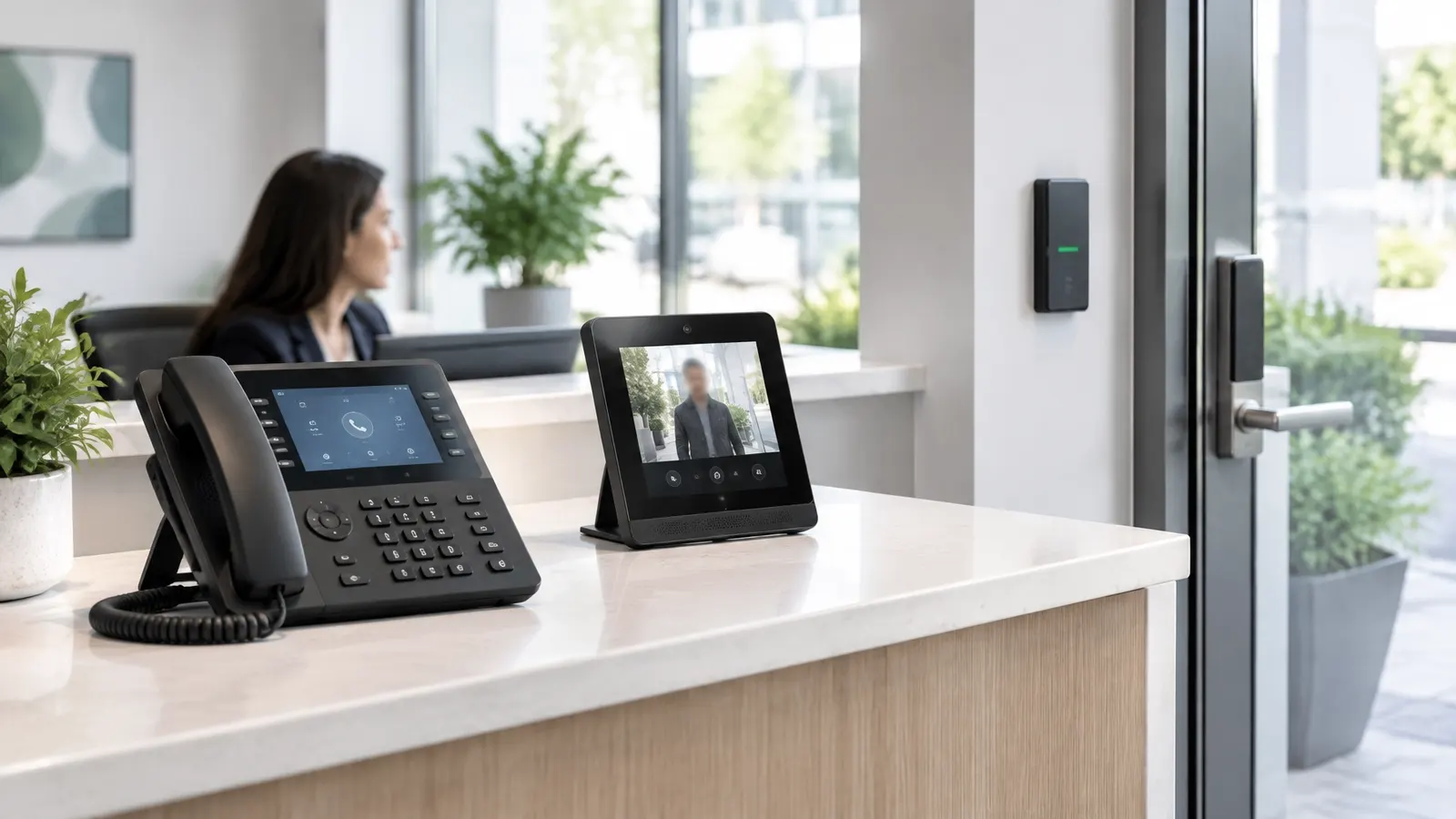
Quick answer: Integrating access control with a business phone system lets a SIP door phone or video intercom call a designated extension, ring group, or mobile app. After verifying the visitor, an authorized staff member releases the correct door through a supported control, while the access-control controller still enforces who may unlock which door. Before choosing devices, confirm which phones can answer door calls, how release works, who has permission, what gets logged, and what happens during an outage.
A visitor arrives at a locked entrance and presses the intercom. The call reaches reception, security, or another authorized staff member. That person checks the video, speaks with the visitor, and, if the visit is approved, releases the correct door from the device they are already using to answer calls.
That is the practical value of integrating access control with a business phone system. A SIP intercom can place a call through a VoIP platform, while an electronic lock and access-control controller manage the door. With the right integrations, staff can handle visitor calls and authorized door release in a familiar workflow.
The title's "one login" describes a useful goal, not a feature every system provides by default. A shared staff sign-in or credential requires compatible identity and access-control platforms. The phone system can connect the communication and door-release workflow, but the access-control system still needs to enforce who may enter and who may unlock doors.
How the integration works
A SIP door phone or video intercom is configured as an endpoint on the phone system. When someone presses its call button, it dials a designated extension, ring group, or staff member. Depending on the setup, the call can ring a desk phone, a desktop or mobile app, or several devices at once.
After verifying the visitor, an authorized staff member uses a supported control (such as a phone key, application command, or access-control interface) to request door release. The access-control controller or a properly secured relay operates the lock. The phone system carries the call and may provide the user interface for release; it should not be treated as a substitute for the door controller's permissions and safety functions.
HopDial's security integration connects electronic door locks, intercoms, and access control with the phone system, alongside paging and intercom integration. The specific devices, controls, and software capabilities depend on the equipment and configuration selected.
Why bring access control and calling together?
A simpler support relationship. Coordinating the phone provider, intercom installer, and access-control vendor can make troubleshooting harder. A planned integration can clarify which provider supports each part of the workflow and how issues are escalated. It does not necessarily mean one company supplies every device.
A more coherent record of events. Phone logs can show that a door call occurred, while the access-control platform records a credential, unlock command, or door alarm. Some integrations correlate these events; others keep separate records. Confirm what is actually logged, who can review it, and how long records are retained. A call log by itself is not a complete access-control audit trail.
Flexible call routing. Door calls can ring a reception group during business hours and route to an on-call staff member's mobile app after hours. No-answer rules can send calls to another authorized responder or a defined fallback destination. Mobile routing still depends on connectivity and staff availability, so it should be part of a documented operating plan.
A familiar answering workflow. Staff may be able to verify and respond to a visitor using the same phone or app they use for business calls. This can reduce the need to move between separate communication interfaces, while access permissions remain controlled by the appropriate system.
A practical evaluation checklist
Before selecting an intercom, phone system, or access-control integration, we recommend confirming the following details with the providers:
- Which devices can answer door calls? Check compatibility for desk phones, desktop apps, mobile apps, and any reception or security consoles. Confirm whether video is available on the exact devices staff will use.
- How does door release work? Verify that the answering device can release the intended door, and ask whether the command passes through an access-control controller or a secured relay. Test that the release applies only to the correct entrance.
- Who is permitted to unlock doors? Confirm how user permissions are assigned, reviewed, and removed. Ask whether staff can use one sign-in for both applications, or whether the systems require separate accounts or credentials.
- What is included in the audit trail? Identify whether records capture the call, answering user, release command, credential event, and door status, or whether these remain in separate systems. Confirm access to records and retention options.
- How does paging fit in? Ask whether the phone platform supports paging zones and whether those zones can support planned announcements or emergency communications. Paging through a phone system should not be assumed to replace a code-compliant mass-notification or life-safety system.
- What happens if nobody answers? Define the call sequence, timeouts, and fallback destination for each entrance and time of day.
- What happens during an internet, network, or power outage? Ask which components continue to work locally, how locks behave, whether backup power is available, and how staff can verify visitors when phone or video service is unavailable. Our guide to VoIP failover during an internet outage covers the phone side in detail.
- Is mobile access supported and suitable? Confirm what the app can do, how user access is protected, and what connectivity the app requires. Include mobile-device and account-security procedures in the plan.
Where integrated workflows can help
K-12 schools and early learning centers
A SIP video intercom at a primary entrance can route visitors to the front office for verification before staff release the door. Staff can also receive calls at designated devices when they are away from the reception desk. For K-12 environments, access control should support clear visitor procedures and be coordinated with the school's broader public safety plan. The CISA K-12 School Security Guide offers guidance on visitor management and layered school security practices.
For daycares and preschools, the same workflow supports controlled drop-off and pick-up: the front door rings the director's office or classroom phones, and staff confirm who is at the door before releasing it. HopDial outlines communication options for K-12 schools and early education centers, including intercom, paging, and bell integration.

Medical offices
A medical practice may use controlled staff entrances or limit access to non-public areas. A visitor intercom can route deliveries or after-hours arrivals to an authorized responder. For areas where patient information or clinical operations require restricted access, permissions and event records should be designed with the practice's privacy and security policies in mind. Phone and door logs should not be treated as proof of HIPAA compliance. See HopDial's medical and dental communications overview.

Warehouses and manufacturing sites
A facility may route calls from a main entrance, loading dock, or restricted production area to different teams. For example, a dock intercom could ring shipping staff, while a restricted-area entrance routes to a supervisor or security desk. Each door should have permissions appropriate to its purpose, along with a defined plan for missed calls and access during outages.
Senior care and home care facilities
A controlled entrance can route visitors to reception or an on-duty staff member for check-in and verification. Separate staff entrances may use assigned credentials and access schedules. The phone-system integration can help staff respond to entry calls, but it should support, rather than replace, visitor procedures and resident-safety policies.
Businesses with multiple locations
Organizations with several sites can use a consistent approach to call routing, staff roles, and visitor handling while keeping permissions appropriate to each location. Centralized administration may simplify changes when staff move between sites. Confirm that logs identify the location and door clearly, and that local staff can follow procedures if central systems are unavailable.
Plan the workflow before choosing devices
Start by mapping each controlled entrance: who answers, which devices ring, how visitors are verified, who may release the door, and where calls go when they are unanswered. Then confirm the integration details with the phone-system and access-control providers, including device compatibility, permissions, event records, emergency paging requirements, and outage behavior.
HopDial supports on-site installation and hands-on staff training across the Philadelphia tri-state area (Southeastern Pennsylvania and South Jersey) and Southern California's Inland Empire, as well as remote deployments elsewhere. For a review of phone, intercom, access-control, and paging options, explore HopDial's solutions. To discuss your building layout and requirements, contact HopDial to plan next steps.
Frequently Asked Questions
Can a business phone system unlock doors?
Yes, with compatible equipment. A SIP door phone or video intercom calls a phone, ring group, or app, and an authorized staff member requests door release through a supported control. The access-control controller or a secured relay actually operates the lock and enforces permissions.
What is a SIP video intercom?
A SIP video intercom is a door station registered to a VoIP phone system as an endpoint. When a visitor presses the button, it places a call to a designated extension, ring group, or mobile app, often with video so staff can see who is at the door before releasing it.
Can staff answer the door from a mobile app?
Often, yes. Door calls can ring a mobile or desktop app, for example routing to an on-call staff member after hours. Confirm which apps support video and door release, how user access is protected, and what connectivity the app needs.
Does a phone system call log count as an access-control audit trail?
No. A call log shows that a door call happened, while the access-control platform records credentials, unlock commands, and door alarms. Confirm which events each system records, whether they are correlated, who can review them, and how long they are retained.
How should schools and daycares use door intercoms?
Route the main entrance intercom to the front office or director so staff verify visitors on video before releasing the door, and coordinate the workflow with the school or center safety plan. CISA's K-12 School Security Guide covers visitor management and layered security practices.