
Quick answer
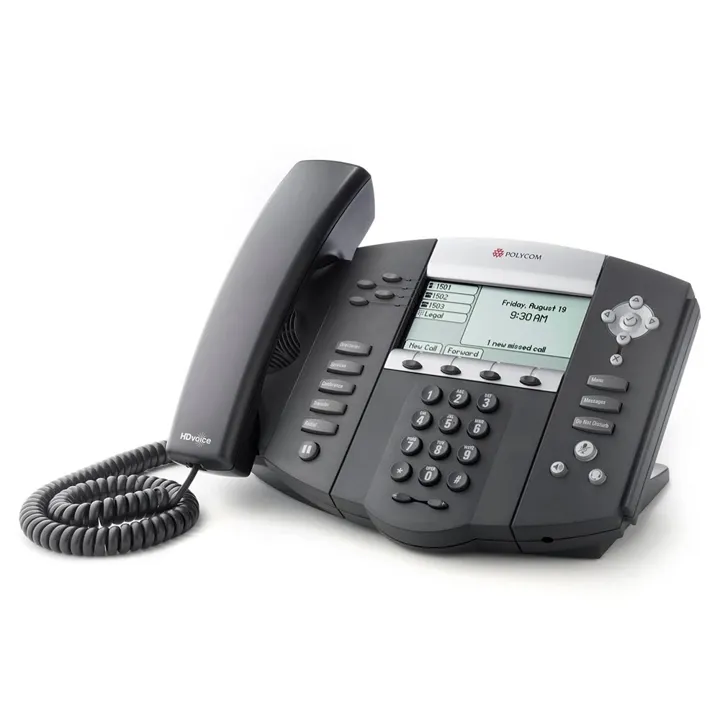
Polycom SoundPoint IP 331, IP 550 and IP 5000, and the SoundStation IP 6000 conference phone, use the standard CoreNexa codes: press Messages or dial * plus your extension for voicemail, and use the Trnsfer and Confrnc soft keys for transfers and conferences.
Models covered
Everyday calling on SoundPoint phones
| Task | What to do |
|---|---|
| Check voicemail | Press Messages, or dial * plus your extension, then your password and #. |
| Do Not Disturb | Press the Do Not Disturb key (or DND soft key). |
| Attended transfer | Press Trnsfer, dial the extension, talk to them, then press Trnsfer again. |
| Blind transfer | Press Trnsfer, press Blind, dial the extension. |
| Transfer to voicemail | Press Trnsfer, dial the extension, press *, then complete the transfer. |
| Conference | During a call press Confrnc, dial the next number, then press Confrnc again. |
| Hold | Press Hold; press Resume to return. |
SoundStation IP 6000 and IP 5000 conference phones
These are speakerphones for meeting rooms. Dial and press the Call (or Send) key; use the soft keys for Conference and Transfer, and the mute key to mute the room. The CoreNexa voicemail and transfer codes are the same.
Why this is in Legacy
Polycom has ended sales and support for the SoundPoint IP and SoundStation IP lines. They may keep working, but HopDial recommends a current Yealink desk phone or CP-series conference phone as replacements.
Quick troubleshooting
| Symptom | Try this |
|---|---|
| Blank screen or no power | Check that the network cable is firmly seated. If the phone is powered over Ethernet (PoE), try a different switch port, or use the power adapter if you have one. |
| Screen says No Service or Network Unavailable, or shows no line | Unplug the power (or the PoE network cable) for 10 seconds and plug it back in. If several phones show this at once, restart your internet modem or router, then contact support. |
| Choppy, robotic or one-way audio | Usually a network issue. See the network and firewall guide (QoS, SIP ALG) and open a ticket with the time of the call and the number dialed. |
| A programmed key or name label is wrong | Keys are set from HopDial's side. Open a ticket with your extension and the change you need. |
Please don't factory reset a phone unless HopDial support asks you to. A reset can erase the settings that connect it to your phone system.
Frequently asked questions
Is my SoundPoint IP 550 still supported?
It may still work on CoreNexa, but Polycom no longer supports it. Plan to replace it with a current model.
Still stuck?
Open a ticket with your extension and phone model, or call 866.305.0407.
Open a support ticket